


Your cart is empty.
Click here to purchase!

Fotoplus
 |
40.000 Ft értékű online fotós tanfolyam a Kattanjki Klubtól – minden 200.000 Ft feletti vásárláshoz - csak a Fotoplus-nál! |
|
|
|
|
Több mint kedvezmények – közösség, szakértelem, élmény. A Fotoplus szakértő fotós és filmes munkatársai segítenek a megfelelő termék kiválasztásában és a teljes rendelési folyamatban – kezdőknek, profiknak, cégeknek és magánszemélyeknek egyaránt. |
|
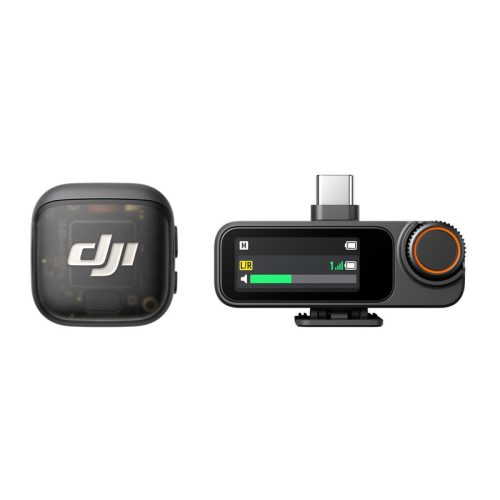
DJI Mic 3 (1 TX + 1 RX)
Article No:
761-CP.RN.00000479.01
In stock
Hol van raktáron?
Központi raktár:
In stock
Pécsi üzletünk:
Out of stock
Budapesti üzletünk:
In stock
69 890 Ft
The lowest price 30 days before the start of the promotion: 58 890 Ft
40.000 Ft értékű online fotós tanfolyam a Kattanjki Klubtól – 200.000 Ft feletti vásárlás mellé - csak a Fotoplusnál! - Nézd meg a részleteket itt:
Információ
Cofidis express online Loan calculator
If you want to buy with installments, add the item to your cart, then select Cofidis retail loan at payment.
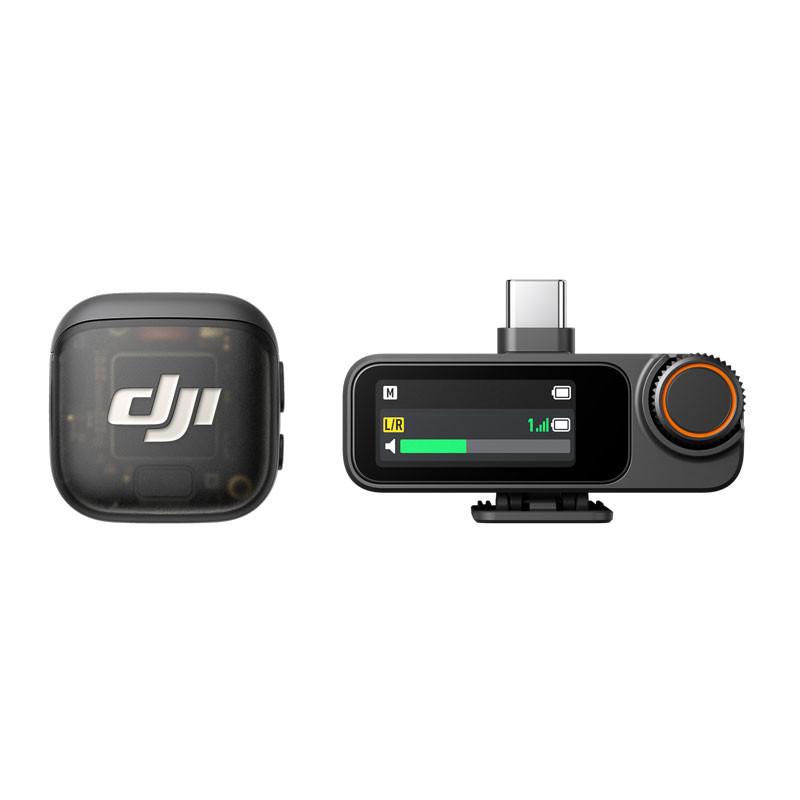
Lightweight and intuitive, takes up little space [1]
4TX + 8RX capability and four output channels [2]
Adaptive signal level control for balanced volume [3]
Three preset tones [4], two-level noise reduction [5]
Dual-band interference protection [6], lossless audio transmission
Dual-file, 32-bit floating point internal audio recording
Built-in time code for seamless editing
Longer battery life and fast charging
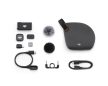
In The Box -- HERE!
További változatok
DJI Mic 3 – Professional Wireless Microphone
The DJI Mic 3 takes wireless audio recording to the next level for creators, vloggers, filmmakers, and presenters. With compact, lightweight transmitters, magnetic or clip-on mounting, advanced noise reduction, and 32-bit internal recording, it ensures clear, professional-quality sound in any situation.
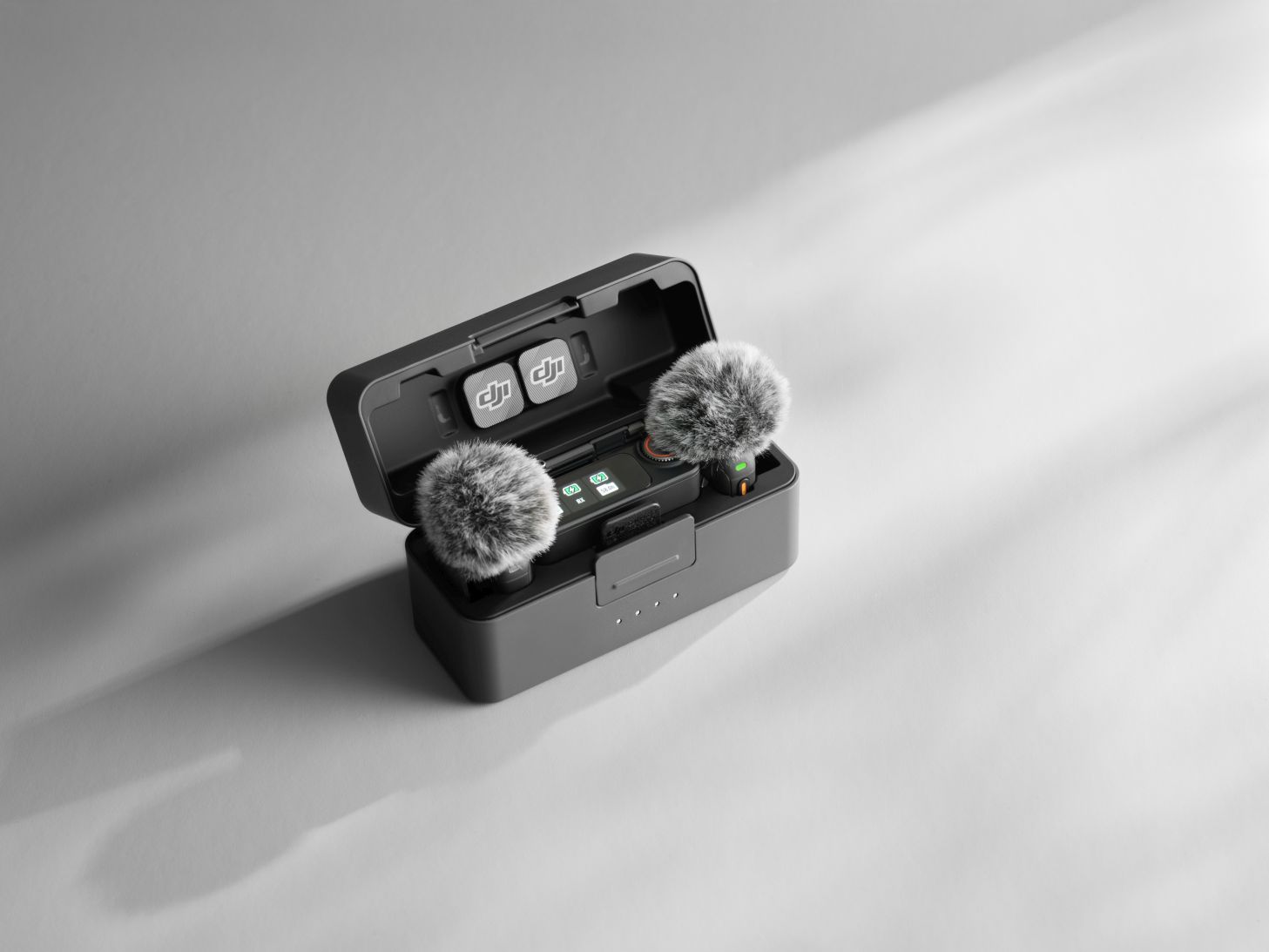
Compact and Discreet Design
- Ultra-lightweight transmitters for all-day use.
- Magnetic or clip-on mounting with adjustable tilt angle.
- Ideal for vlogging, interviews, live streaming, and professional production.
Premium Audio and Intelligent Features
- Adaptive gain control: automatically balances volume indoors or outdoors.
- Three sound profiles (Regular, Rich, Bright) to match your voice and style.
- Dual-level noise reduction (Basic and Strong) for crystal-clear focus on speech.
- Windshield accessory reduces unwanted noise in outdoor conditions.
Easy Control and Smooth Operation
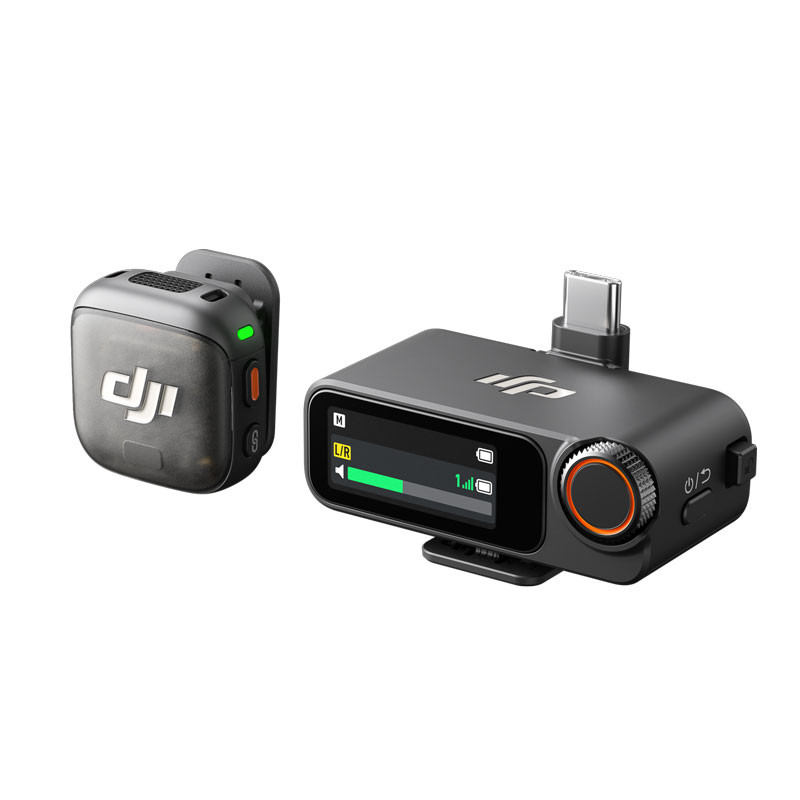
- 1” AMOLED touchscreen on the receiver for instant access to key settings.
- DJI Mimo app for mobile fine-tuning and firmware updates.
- Bluetooth connection for direct pairing with smartphones, even without a receiver.
Professional-Grade Audio Recording
- Supports up to 4 transmitters + 8 receivers for group setups.
- Mono and stereo modes with flexible channel options.
- 32-bit floating-point internal recording – huge dynamic range and lossless quality.
- Timecode support for perfect multi-camera synchronization.
Reliable Signal and Stable Transmission
- Automatic frequency hopping between 2.4 GHz and 5 GHz.
- Range up to 400 meters in open environments.
- Lossless 48 kHz / 24-bit audio transmission for professional clarity.
Long Battery Life and Fast Charging
- 28 hours total runtime with the charging case.
- 5-minute quick charge = up to 2 hours of recording.
- Can be used while charging, ensuring non-stop creativity.
Broad Compatibility
The DJI Mic 3 works with a wide range of devices:
- Cameras (Sony, Nikon, Canon, DJI Osmo series).
- Smartphones and tablets via USB-C or adapters.
- Computers for streaming and content creation.
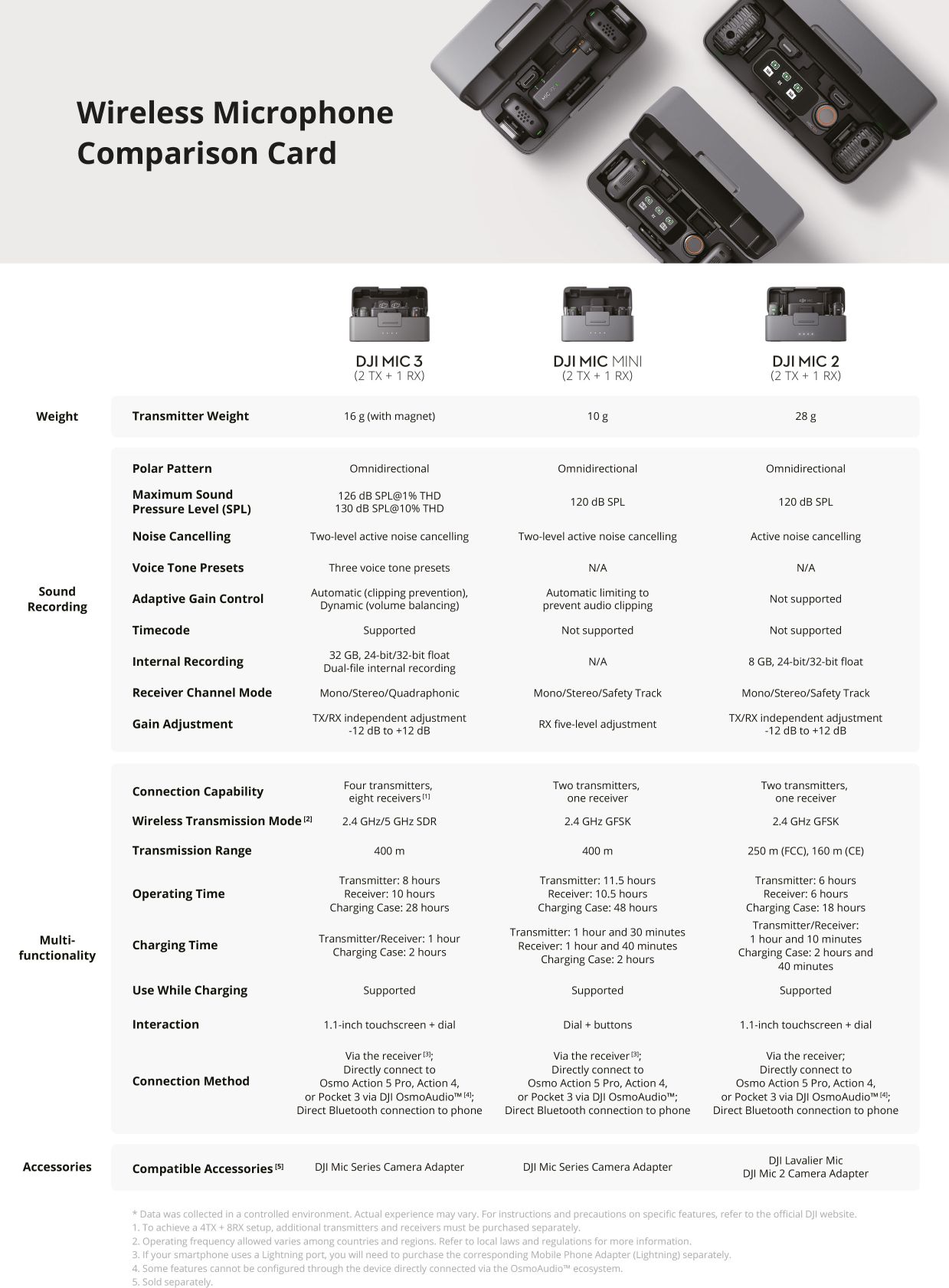
DJI Mic 3
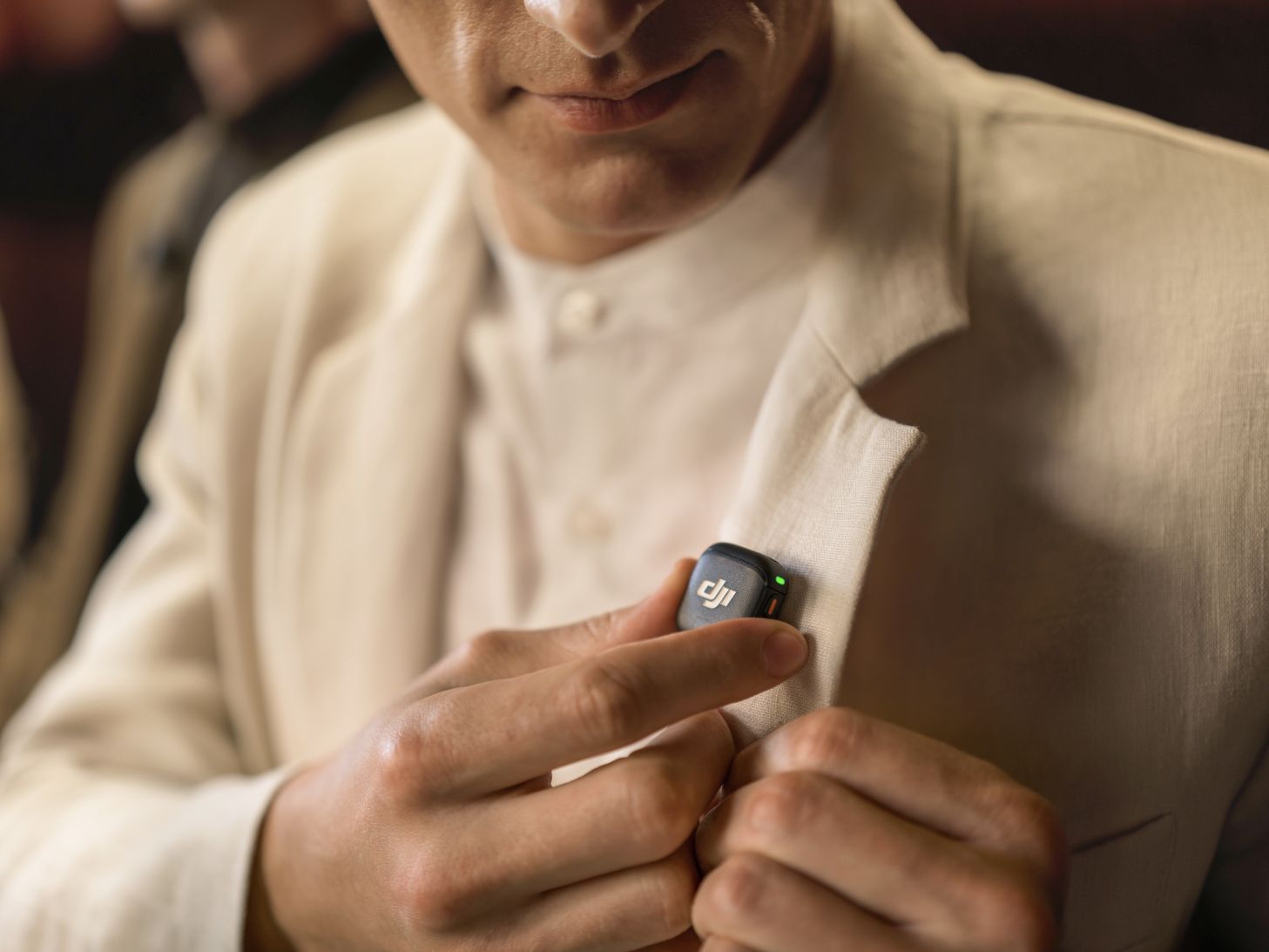
Small, lightweight, versatile
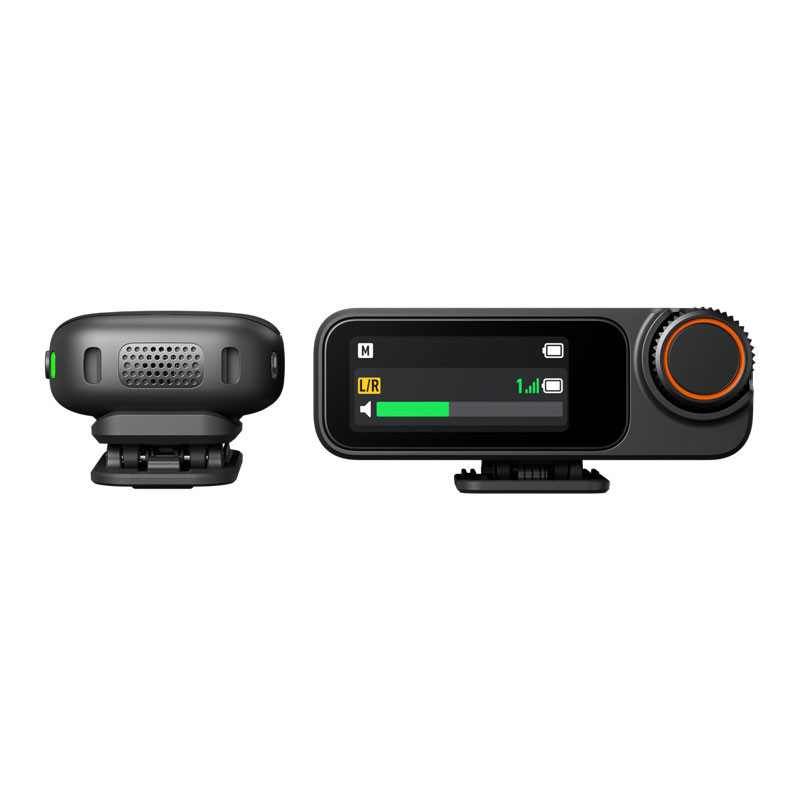
The DJI Mic 3 transmitter is compact, lightweight, and discreet. It supports both magnetic and clip-on mounting. Thanks to the removable, rotatable clip, the microphone's tilt angle can be freely adjusted, regardless of whether it is clipped sideways or upside down, ensuring optimal sound recording in any situation.
Premium sound, smarter experience
Adaptive signal level control for balanced volume [3]
Automatic
Automatic mode effectively prevents sound distortion, making it ideal for outdoor use, such as sporting events, where significant volume fluctuations can occur.
Dynamic
Dynamic mode automatically adjusts the signal level in response to volume changes to ensure consistent volume levels – ideal for quiet indoor use, such as in studios.
You can choose from three preset tones to suit your style [4]
Regular
The Regular tone is the default setting, providing a clear, natural, and balanced sound.
Rich
The Rich (full) tone emphasizes the lower range and provides a fuller, more powerful sound.
Bright
The Bright tone emphasizes high frequencies, making your voice clearer and more sparkling.
Two-stage noise filtering for focused sound [5]
Basic
The Basic level is perfect for quiet indoor use, reducing fan, air conditioning, and echo noise while maintaining sound clarity.
Strong
The Strong setting is ideal for noisy environments and significantly reduces ambient noise for clearer sound.
Once the windscreen is attached, the transmitter effectively reduces wind noise and other unwanted noise, ensuring clear and detailed sound even in windy or noisy environments—ideal for live streaming, vlogging, and many other uses.
Simple control, smooth operation
Parameter setting options on the receiver
The receiver has a 1.1-inch AMOLED touchscreen display and a setting knob, making it easy to access signal level, battery status, and operating modes. Settings can be made quickly, allowing you to enjoy flexible, efficient operation right away.
Parameter setting options on the receiver
The receiver has a 1.1-inch AMOLED touchscreen display and a setting knob, making it easy to access signal level, battery status, and operating modes. Settings can be made quickly, allowing you to enjoy flexible, efficient operation right away.
Massive performance, endless possibilities
4 TX + 8 RX for seamless collaboration [2]
The DJI Mic 3 receiver can connect to up to four transmitters simultaneously, allowing you to record from four audio sources at once. The main receiver can also synchronize audio with seven additional receivers. Whether it's a group interview or a multi-camera shoot, the audio will be crystal clear on every device, making post-production a breeze.
Flexible, varied settings for channels
The receiver can be set to mono or stereo (two-channel) mode – the receiver allows the sound from each transmitter to be routed to a separate channel, but the sound can also be combined into a single channel, making it suitable for any creative task.
Four output channels [2], easy editing
In quadraphonic mode, the DJI Mic 3 receiver can handle four separate audio tracks simultaneously when paired with certain Sony cameras or computer software. This allows for precise separation of tracks and flexible mixing, giving you more creative freedom during post-production.
Reliability with dual bands, extremely stable signal transmission
DJI Mic 3 supports automatic frequency switching between 2.4 GHz and 5 GHz bands [6] with a range of up to 400 meters [7]. Thanks to its outstanding interference resistance, DJI Mic 3 ensures stable audio transmission even in highly complex wireless environments, such as exhibitions.
Lossless transmission, crystal clear sound
When lossless audio mode is activated [8], the transmitter transmits 48 kHz, 24-bit uncompressed audio directly to the receiver. This allows every recording to be captured in stunning detail and hi-fi sound quality.
Dual-file, 32-bit floating point internal audio recording
Internal audio recording
No more worrying about audio dropouts – internal audio recording protects your audio from interference during wireless transmission and device failures. Thanks to dual-file internal audio recording, DJI Mic 3 saves both the original track and the algorithm-enhanced version [9] at the same time, making your workflow smoother and your creative process uninterrupted.
32-bit floating point internal audio recording
DJI Mic 3 features 32-bit floating point internal audio recording, providing a wide dynamic range that not only results in outstanding audio quality, but also allows the device to better adapt to more complex audio environments. It excels at capturing every nuance of sound, from soft whispers to loud shouts, providing more reliable performance in unpredictable noise environments and greater freedom in post-production.
Built-in timecode for precise synchronization
DJI Mic 3 offers high-precision timecode support [10]: the transmitter embeds timecode data during internal audio recording, and the receiver supports both timecode reception and transmission. With less than one frame of deviation in 24 hours [11], multi-camera recordings can be synchronized immediately, making post-production faster and more efficient.
Seamless file export
Once recording is complete, both transmitters can be easily connected to your computer or smartphone using the charging case and USB-C cable [12]. All internally recorded files can be transferred instantly in one step – editing and sharing has never been easier. The transmitter can also be connected to the DJI Mimo app, where audio files can be downloaded and flexible export options tailored to the user's needs are available.
All-day operation, worry-free creation
Longer, 28-hour battery life [13]
The transmitter can operate for up to 8 hours [14] and the receiver for up to 10 hours [14]. A fully charged charging case provides approximately 2.4 full charges, allowing for a total of 28 hours of continuous use [13]. You don't have to worry about the battery even when recording long sessions or live streaming.
5-minute quick charge
With just 5 minutes of charging, you can get up to 2 hours of use [15] with the transmitter and receiver – ideal for when you need to quickly increase the device's usage time. The device supports 3C fast charging, with a full charge taking only about 50 minutes [16], so you can continue creating in no time.
Multiple smart energy-saving features
Automatic energy-saving mode [17]
The transmitter automatically switches to sleep mode when it does not detect a signal from the receiver. As soon as it detects a signal again, it wakes up and reconnects to the receiver. This feature allows you to wear the transmitter for longer periods of time without having to turn it on and off frequently.
Auto Power Off
In the DJI Mimo app, you can set the transmitter and receiver to automatically turn off after a period of inactivity. If this feature is enabled on both devices, they will automatically turn off if they are not connected for more than 15 minutes. This prevents premature battery drain and leaves you with more energy for creativity.
Automatic power on/off with camera
After enabling the "automatic power on/off with camera" function on the receiver screen or in the DJI Mimo app, the receiver will automatically turn on when the camera is started and automatically turn off when the camera is stopped after connecting the camera to the receiver with a 3.5 mm audio cable or hot shoe.
Use while charging
When the receiver is connected to a smartphone via a cable, it receives power directly from the phone. If you connect an external power source to the receiver's USB-C port, you can charge both the receiver and the phone at the same time, allowing you to continue recording without interruption [18].
Instant connection, uninterrupted creation
DJI OsmoAudio™ Direct Connection
The transmitter can be connected directly to Osmo 360, Osmo Action 5 Pro, Osmo Action 4, or Osmo Pocket 3 without using a receiver [19]. The DJI OsmoAudio™ connection ecosystem provides premium audio quality, simplifying setup and workflow for more efficient creative work.
Compatible with a wide range of devices
The receiver has multiple ports to meet the needs of creators: a secure, stable, and uninterrupted connection with a 3.5 mm TRS output; a 3.5 mm TRRS port for real-time audio monitoring; and a USB-C port that allows you to charge the device and use it for recording at the same time – ideal for phones, tablets, and computers. Adapters allow you to quickly adapt the device to different devices, resulting in a more efficient and flexible workflow.
Direct connection to your phone via Bluetooth [20]
No receiver required – the transmitter connects directly to your smartphone via Bluetooth, so you can easily use it with your favorite third-party apps for recording or live streaming [21]. With the DJI Mimo app, you can set up the device and update the firmware in one place. The app makes the setup process and device operation quick and easy.
Notes
* All of the above data comes from a controlled environment. Actual usage experience may vary. For usage settings and recommendations, please refer to the official DJI product page.
- When storing the receiver and accessories, do not stack them in the charging case to avoid damaging the receiver display.
- Additional separate accessories are required for the 4TX + 8RX configuration or four output channels. Four output channels are only supported on certain Sony camera models (requires the use of a camera adapter from the DJI Mic series) and certain computer software (via USB output). For details, see the compatibility list on the Downloads page of the official DJI Mic 3 website.
- The adaptive signal level control function can be adjusted on the receiver or in the DJI Mimo app and is turned off by default.
- Preset tones can be selected on the receiver or in the DJI Mimo app, with Regular tone as the default setting.
- Noise reduction is disabled by default, but can be enabled on the receiver, in the DJI Mimo app, or on a device connected directly to the OsmoAudio™ ecosystem. Noise reduction can be set to Strong or Basic. When using the receiver with multiple transmitters, you can adjust the noise reduction settings for each transmitter individually, or you can adjust the settings for all transmitters at once. If the Osmo 360, Osmo Action 5 Pro, Osmo Action 4, or Osmo Pocket 3 is connected directly to OsmoAudio™, the settings can be adjusted on the device interface. If the transmitter is connected directly to a smartphone, the settings can be adjusted in the Mimo app.
- The usable operating frequency may vary by country and region. For more information, please refer to local laws and regulations.
- Measurements were taken with DJI Mic 3 (2 TX + 1 RX + charging case), with lossless audio turned off, in an open, unobstructed, interference-free environment.
- When the lossless audio function is turned on, the transmitter battery life under nominal operating conditions is reduced by approximately 2 hours, and the maximum transmission distance is reduced by approximately 50%.
- Algorithm-based enhancements include preset tones, low-frequency cut, noise reduction, and adaptive signal level control.
- For more information on supported time code modes, frame rates, and time code output formats, please refer to the FAQ page on the official DJI Mic 3 website.
- Measurements were taken with DJI Mic 3 (2 TX + 1 RX + charging case) in an environment free of electromagnetic interference, and during the measurement, after time code synchronization, the transmitters and receivers operated with continuous power supply during 24 hours of continuous recording.
- A list of compatible devices can be found on the official DJI Mic 3 website under Downloads.
- The measurement was performed with DJI Mic 3 (2 TX + 1 RX + charging case) connected to a fully charged charging case, with noise reduction turned off and internal audio recording turned off, during close-range audio recording, under interference-free conditions, and during the measurement, both transmitters were connected to the receiver, and the receiver was connected to a camera via the camera's 3.5 mm audio cable.
- The measurement was performed with DJI Mic 3 (2 TX + 1 RX + charging case), with noise reduction and internal audio recording turned off, during close-range audio recording, under interference-free conditions, and during the measurement, both transmitters were connected to the receiver, and the receiver was connected to a camera via the camera's 3.5 mm audio cable.
- The measurement was performed in a controlled environment, with the transmitter and receiver batteries below 25% charge, using a 5 V output voltage charger, with noise filtering turned off, under interference-free conditions, during close-range audio recording, and during the measurement, both transmitters were connected to the receiver, and the receiver was connected to a camera via the camera's 3.5 mm audio cable.
- The data was collected in a controlled environment and is for informational purposes only.
- This feature only works when the device is turned on. If the automatic shutdown feature for the transmitter and receiver is enabled in the DJI Mimo app or on the receiver screen, both devices will automatically shut down after 15 minutes if no pairing signal is detected.
- If your phone has a Lightning connector, the receiver cannot be powered by the phone's battery without an external power source. For simultaneous charging and use, you must purchase the DJI Mic 3 Phone Adapter (Lightning) separately.
- Certain features of DJI Mic 3 cannot be configured through a device connected directly to the OsmoAudio™ ecosystem. For more information, please refer to the FAQ page on the official DJI Mic 3 website.
- Only one transmitter can be directly connected and used as an audio source at a time.
- When the transmitter is connected directly to a smartphone via Bluetooth, the transmitter does not support audio recording with the phone's native camera app; audio recording only works with third-party apps. A list of compatible apps can be found on the official DJI Mic 3 website under Downloads.
- Sold separately.
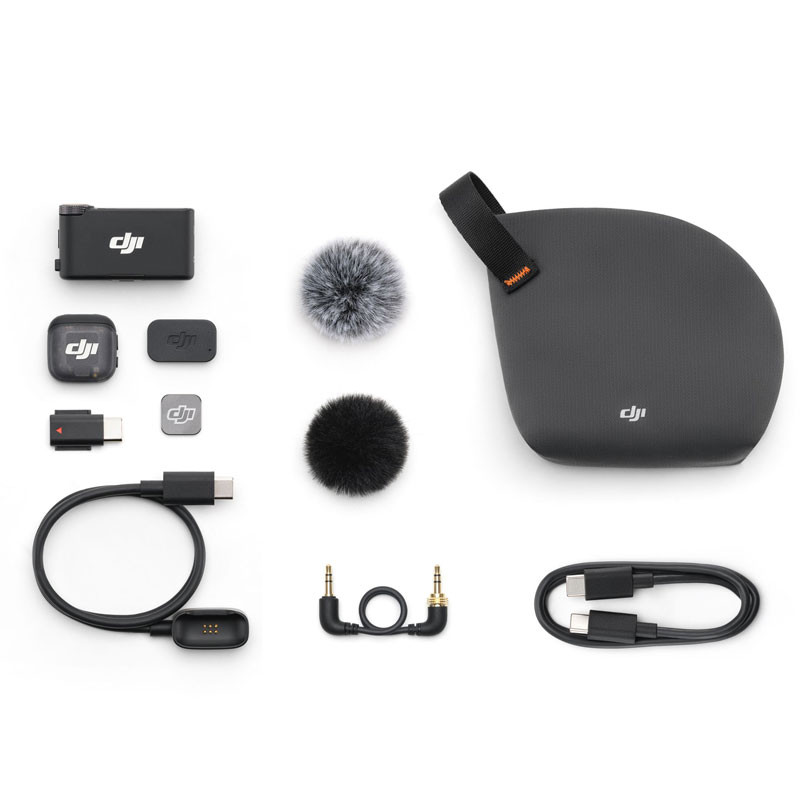
In The Box
DJI Mic 3 Transmitter
DJI Mic 3 Receiver
DJI Mic 3 Transmitter Magnetic Charging Cable
DJI Mic 3 Mobile Phone Adapter (USB-C)
USB-C to USB-C Data Cable
DJI Mic 3 Locking Audio Adapter Cable (3.5mm TRS to TRS)
DJI Mic 3 Windscreen (Black/Gray)
DJI Mic 3 Windscreen (Black)
DJI Mic 3 Magnet
DJI Mic 3 Magnetic Clip
DJI Mic 3 Compact Carrying Pouch
Gyártó:
DJI
Vendor part number :
761-CP.RN.00000479.01